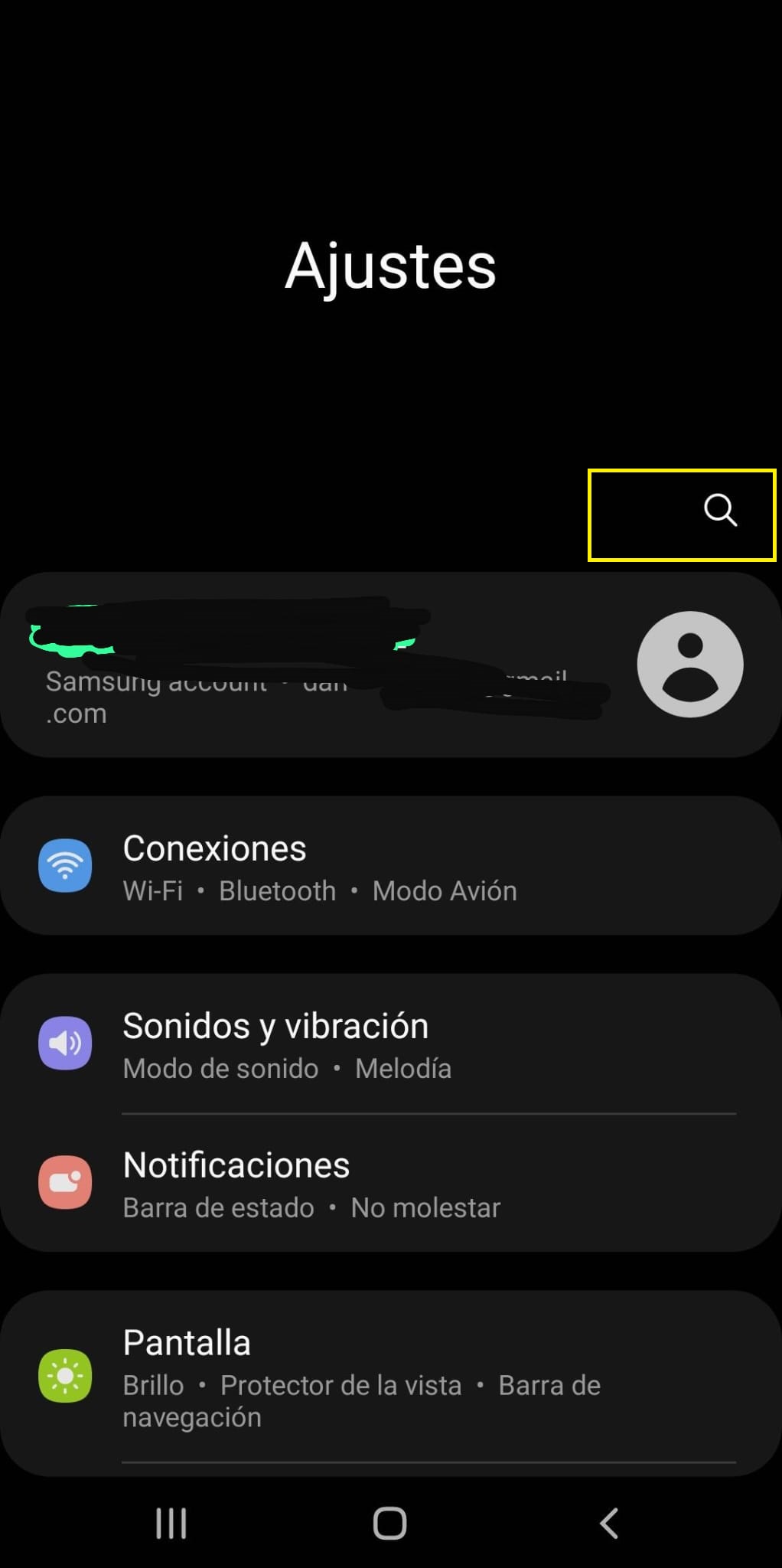
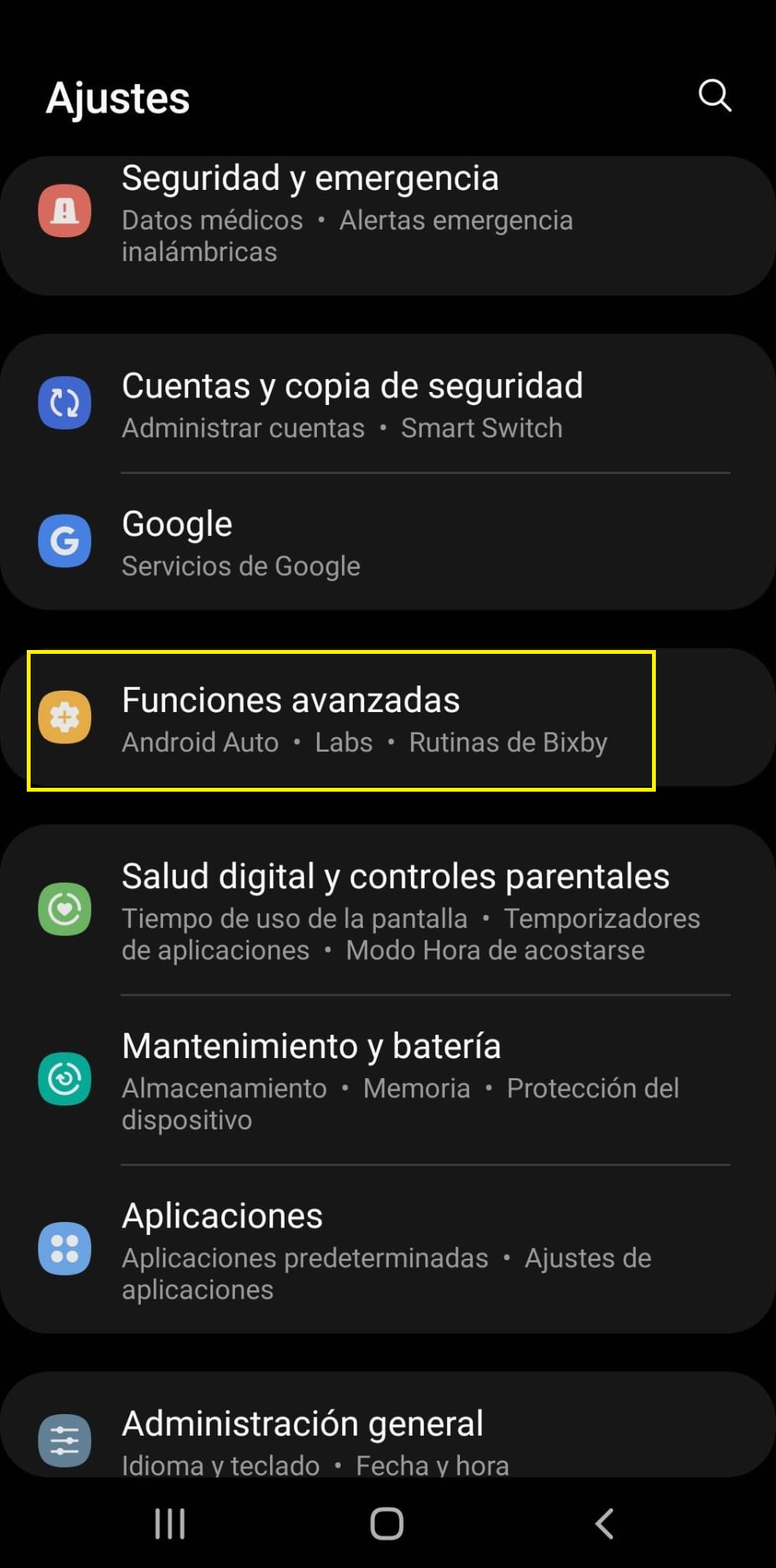
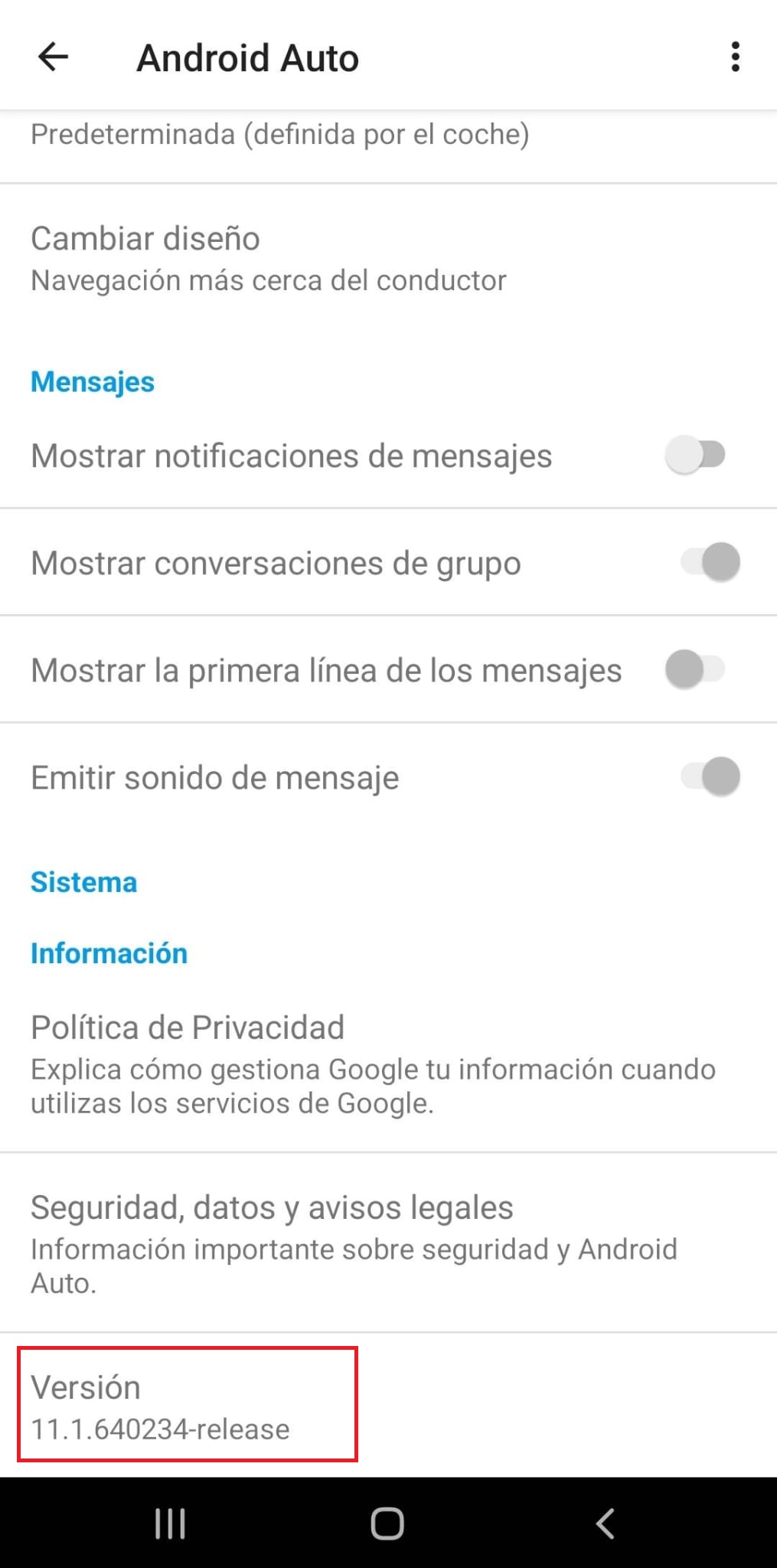
Una vez entres en android auto, bajas a la última opción de la lista (versión) y le das las 8 o 10 veces hasta que te salga el mensaje de que ya “eres desarrollador”
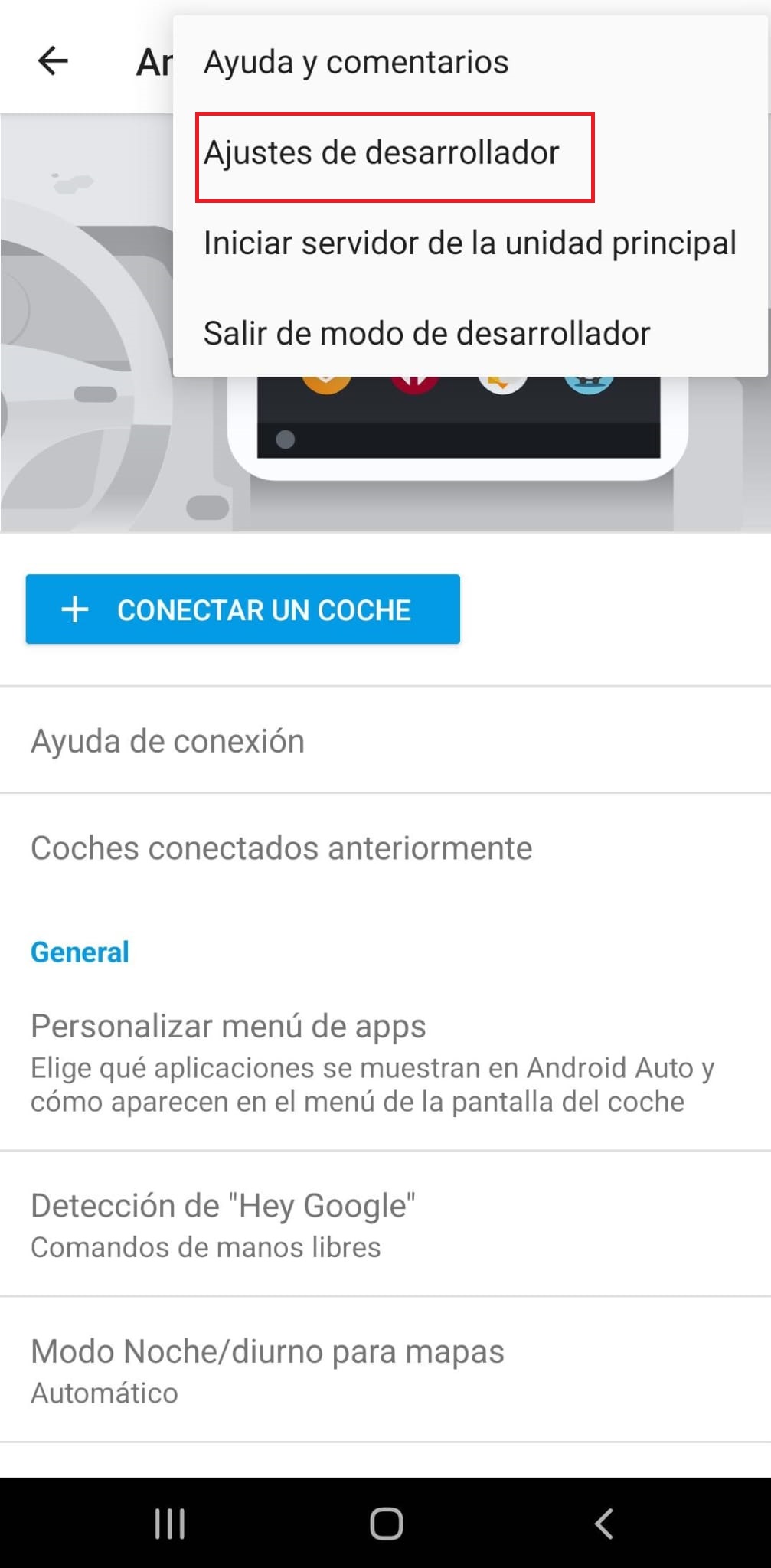
Una vez te haya salido el mensaje de que eres desarrollador vuelves arriba del todo, das a los 3 puntos y te aparecerá una nueva opción, entras, “ajustes de desarrollador”
Yo lo uso con mi cuenta habitual desde hace años y sin problema mientras no descargues música. Si descargas entonces te pillan y te banean. Pero si sólo lo usas para escuchar en streaming, 0 problemas.
Muchísimas gracias!!! Con las capturas me he enterado mejor y ahora sí he conseguido que aparezca el Spotify cuando llevo el Android auto
Era una movida no poder cambiar de canción desde el volante cuando iba el Android auto (y la música de Spotify por Bluetooth)
Hola, gracias por el aporte.
Me ha funcionado pero cuando le digo al control de voz ponme x cancion, me dice que me tengo que descargar spotify. Como podria poner a spotify x(pirata) como predeterminado para el control de voz.
Voy a la configuración por voz de musica pero no me sale como opcion( supongo que por ser pirata ).
¿Que podria hacer?
Muchas gracias.
Hermano eres un grandeee muchas gracias de verdad, podía escuchar música sin tener el Spotify conectado al android auto pero admitamos que queda la pantalla más fachera con el Spotify puesto y no el Google Maps JAJAJA
Que me he creado una cuenta unicamente para agradecer el consejo, si funciona, ahora me aparece el spotify chetado en la pantalla del auto, eres un crack, saludos !
Well, even though I followed the instructions and managed to see the pirated versions on two different mobiles (“spotify X” and the other one just says “spotify”), they disappeared after a few weeks on both phones…
Even though I try it again, it only works if I uninstall the app and repeat the whole tutorial
This is such a pain, damn it
I’m starting to consider paying, although I don’t know if I should switch to Tidal or another platform that offers a good deal and is cheaper, honestly…
I’ve changed phones and subscribed to Tidal; this pirated Spotify thing is working worse and worse, plus the music quality leaves a lot to be desired…
Amazon Music is okay, but I think it’s €12 a month, even with a Prime subscription. It has 360 audio and the quality is much better than Spotify, but it doesn’t quite reach Tidal’s level.
When I make or receive a call on my phone while listening to Spotify, the sound doesn’t come through the car speakers after ending the call and returning to Spotify. Any solutions?



 muchas gracias de verdad, podía escuchar música sin tener el Spotify conectado al android auto pero admitamos que queda la pantalla más fachera con el Spotify puesto y no el Google Maps JAJAJA